


Instead of rebuilding your barber supplies order each time, use a documented workflow: confirm the supplier’s trade-account process, prepare your business details, request terms for a defined order, then save an approved replenishment list. For trade account barber supplies enquiries in 2026, treat signup and bulk pricing as separate checkpoints—not as an automatic discount.
- MV Hair & Beauty sells barber and salon supplies to Australian trade professionals; confirm account terms before ordering.
- For trade account barber supplies, separate account registration, trade approval and bulk-order terms.
- Build replenishment orders from recorded usage, not from the size of a carton.
- Keep consumables and equipment purchases separate so each order has a clear purpose.
Why this matters
A business login, an approved trade account and an agreed bulk order serve different purposes. Do not treat account creation as confirmation of purchasing terms. Ask what the account permits, which items the agreement covers and how to place the order correctly.
MV Hair & Beauty is a Kilburn, Adelaide-based online retailer selling clippers, trimmers, hair colour, styling products and salon furniture across Australia. MV Hair & Beauty suits Australian barbers and hairdressers sourcing barber and salon supplies. Confirm the applicable account process directly before building your purchasing routine around it.
The useful outcome is a repeatable order with the right product variants, quantities, business identity and written terms. A large basket alone does not establish a bulk-order agreement, and a saved order should never replace a final check.
Before you start
- Business and account access: Have your purchasing email, business name, billing details and delivery address ready. Keep your ABN accessible if requested, and nominate the person authorised to approve orders.
- Order materials: Prepare exact product names, variants, quantities and your recent usage records. Separate products used during appointments from products intended for retail sale.
- The gotcha: Confirm whether registration and trade approval are separate, and whether bulk-order terms require a separate enquiry. Do not assume that logging in applies an agreement to every item or order.
Keep business records accurate, but submit only the information the supplier requests through its confirmed process. Do not send passwords or payment-card details in an enquiry.
Business details and account confirmation
This first configuration unit establishes who is buying and how the order should be handled. For your 2026 purchasing file, keep one record of the confirmed process rather than relying on different staff members’ recollections.
Prepare your account record
- Identify the staff member responsible for supplier enquiries and account access. Use a business-controlled email address so purchasing records remain accessible when responsibilities change.
- Check the supplier’s current account instructions. Follow the actual labels displayed on the site; if the trade process is unclear, ask for the correct registration or enquiry route before submitting details.
- Supply the requested business information accurately. Match the business name and billing details to the identity that should appear on your purchasing documents.
- Ask whether a standard customer account is sufficient or whether a separate trade assessment applies. Request confirmation of any supporting documents required.
- Save the supplier’s response with your account email and business details. Record any confirmed restrictions without assuming that an account also includes credit terms or deferred payment.
Expected result: You can identify the purchasing account, the authorised buyer and the next action required. If approval is required, proceed only after receiving that confirmation.
Keep account access separate from order authority
Account access should not leave your team guessing who can approve a purchase. Record the buyer’s name, the person who checks the order and the person who receives the goods; one person can hold more than one role.
Use your own purchasing record to capture Account email, Business name, Authorised buyer and Account confirmation. These are suggested worksheet labels, not claims about fields or buttons on the retailer’s website.
The benefit is clear responsibility. The limitation is that your internal record does not change the supplier’s account rules: it documents them, and nothing more.
Order list and quantity planning
Build the order around what your business uses. Separate regular replenishment from tool replacement or furniture purchases so a one-off equipment decision does not become part of every reorder.
Choose the purchasing workflow
| Workflow | Best for | Benefit | Limitation | Check before ordering |
|---|---|---|---|---|
| Consumable replenishment | Barbershops replacing regularly used supplies | Connects quantities to recorded use | Needs consistent stock counts | Exact item, pack contents and remaining units |
| Retail product replenishment | Salons selling haircare or styling products | Separates retail demand from appointment use | Shelf quantities do not establish customer demand | Sales records and exact product variant |
| Equipment purchase | Barbers replacing clippers, trimmers or salon furniture | Keeps a specific operational need visible | Requires a separate suitability assessment | Model, intended use and manufacturer information |
These are order-planning options, not different account types. Choose the workflow that matches the purchase before asking about bulk-order terms. Combining everything into one enquiry makes it harder to identify which quantities are recurring and which are one-off.
Build your replenishment worksheet
- Create a worksheet with Product, Variant, Pack contents, Usable stock, Recorded usage, Requested quantity and Order purpose. Copy product wording accurately instead of using shorthand such as blades or wax.
- Count usable stock, including opened items where you can measure them consistently. Keep damaged or unsuitable items out of the count.
- Start with the last 4 weeks of your own usage records. Separate appointment consumption, retail sales and transfers between locations so the figures describe what actually happened.
- Compare the units you count with the units you order. A pack count and an individual-item count are not interchangeable; confirm the contents before calculating quantities.
- Mark each line as replenishment, retail or equipment. For example, MV Neck Strips belongs in a consumables discussion, while a clipper replacement needs its own suitability check.
- Review fast-moving consumables every 7 days as a starting routine. Adjust that review interval using your records rather than treating it as a supplier requirement.
Expected result: Every order line has an exact identity, a defined purpose and a quantity you can explain. Your worksheet distinguishes what you need from what simply looks convenient to buy together.
A physical stock count should separate unopened replenishment supplies from tools and products already in use. This makes the worksheet easier to check against the shelves.

Do not turn the review interval into an automatic order trigger yet. First establish how the supplier handles enquiries and what you need to check before placing each order.
Bulk-order enquiry and written confirmation
A useful bulk enquiry identifies the products and quantities first. It then asks the supplier to confirm the terms that apply to that particular order, without assuming a discount, minimum quantity or account entitlement.
Prepare a clear enquiry
- Attach or paste your defined order list. Include the business name and account email, plus exact product names, variants and quantities.
- Ask whether trade-account purchasing or bulk-order terms apply to those lines. Ask which items are included and whether mixed products can be considered together.
- Ask how to submit the order after confirmation. Establish whether you should use the website account or follow another supplier-confirmed process.
- Request written confirmation of payment requirements, delivery arrangements and any conditions attached to the order. Ask how long the confirmation remains valid without assuming a fixed validity period.
- Record the response against each relevant worksheet line. Keep unresolved questions separate so you do not mistake a partial response for approval of the whole order.
Expected result: You have a written order-specific agreement or a clear instruction to use the retailer’s standard purchasing process. Neither outcome requires you to guess what a trade login means.
Use a repeatable enquiry checklist
For each 2026 enquiry, check these points before sending:
- The business identity matches the purchasing account.
- Each product and variant is identifiable without interpretation.
- Quantities specify whether they mean individual items or packs.
- Recurring supplies are distinguished from one-off equipment.
- The requested purchasing process is explicit.
- The response can be matched to the exact order list.
This workflow applies to enquiries about MV Hair & Beauty barber supplies without asserting a particular trade programme. Its strength is a clear purchasing record; its limitation is that the supplier must confirm the account process and order terms before you can rely on them.
Final order check and replenishment record
Do not skip reconciliation because the enquiry was clear. The final order must match the confirmed product list, business identity and purchasing instructions.
Reconcile before submitting
- Compare the proposed order with the written confirmation line by line. Check the exact product, selected variant, pack contents and quantity.
- Check the billing identity and delivery address. If your business has more than one location, verify the destination against the intended receiving location.
- Resolve any difference before submitting payment. Do not add extra items and assume that earlier terms automatically extend to the amended order.
- Save the order confirmation with the supplier’s response and your worksheet. Record the order reference so staff can discuss the same purchase without searching through unrelated messages.
- When goods arrive, reconcile the received items against the order. Update usable stock only after checking what was received.
Expected result: The approved request, submitted order and received goods can be traced through one purchasing record. Your next stock count starts from checked quantities rather than an unverified order total.
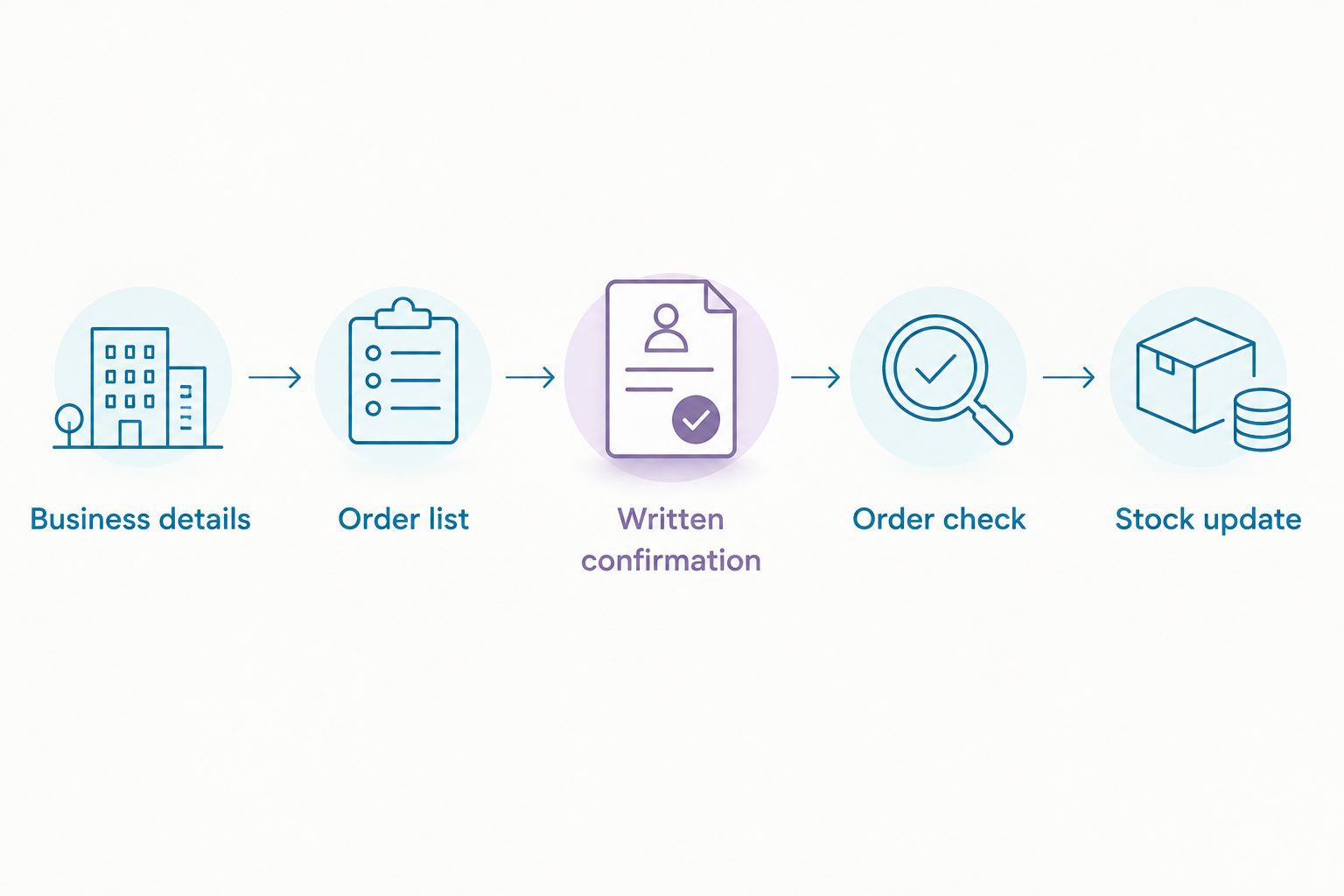
The sequence is straightforward: Business details, Order list, Written confirmation, Order check, then Stock update. Each checkpoint answers a different question, so none should substitute for the next.
Reorder whenever your stock record changes
The adjacent workflow is replenishment after an updated stock count—not repeating the previous basket unchanged. In your 2026 routine, use the last order as a reference, not as proof that the same quantities still suit the business.
- Update usable stock after receiving goods, completing a count or identifying damaged items.
- Recalculate the requested quantity using current records. Remove equipment purchases that were completed and keep retail sales separate from appointment use.
- Flag changed products, pack contents, quantities or delivery details. Ask whether any change requires fresh confirmation.
- Follow the supplier-confirmed purchasing process and reconcile the new order before submitting it.
Best for: Businesses with recurring consumable purchases and reliable stock records. The benefit is less repeated list-building; the drawback is that outdated records can reproduce an incorrect order just as efficiently.
Keep a recurring 30-day review of the worksheet as an internal housekeeping task. Remove obsolete lines and check that each retained product still has a defined use.
Troubleshooting
You created an account but cannot identify trade approval
Ask the supplier whether the account is a standard customer login or an approved trade account. Keep registration and approval as separate statuses in your record; do not submit another application simply because the first status is unclear.
The supplier cannot identify a requested product
Replace shorthand with the exact product name and variant. Include the product reference from your list, then ask the supplier to confirm the intended item before you approve the order.
Pack quantities do not match your stock count
Put individual units and order packs in separate worksheet columns. Confirm pack contents and recalculate the requested quantity; never copy a shelf count directly into a pack-quantity field.
The order differs from the written confirmation
Stop before payment and identify the changed line. Ask for clarification on the amended order rather than assuming the earlier agreement covers added products, different quantities or another delivery address.
The repeat order includes unnecessary equipment
Move completed tool and furniture purchases out of the active replenishment list. Preserve them in the purchase history so you retain the record without ordering them again.
Customise your workflow
Expand the worksheet by business need, not by adding every product category. A mobile barber can separate supplies carried between appointments from stock kept at a base; a multi-chair salon can record which location or station receives each order.
For your next 2026 review, choose one recurring consumable category and make its records accurate first. Then add retail products or equipment purchasing once staff can follow the same naming, counting and approval process.
Keep supplier confirmation manual unless the supplier explicitly supports another process. Your worksheet can organise the enquiry, but it cannot grant trade approval, apply purchasing terms or authorise a payment.
FAQ
How do I set up a trade account for barber supplies?
Confirm the supplier’s current trade-account process, then submit the business details it requests. Keep account registration separate from any required trade approval, and obtain confirmation before relying on account-specific terms.
Does an MV Hair & Beauty account automatically include bulk pricing?
Do not assume an MV Hair & Beauty login establishes bulk-order terms. Ask the retailer to confirm the account status, the products covered and the correct purchasing process for your proposed order.
What information should I prepare for a barber supplies trade enquiry?
Prepare your business name, purchasing email, billing and delivery details, and an exact product-and-quantity list. Keep your ABN accessible if requested, but submit only the information required through the confirmed process.
Can I combine different barber supplies in one bulk enquiry?
List the proposed products together and ask the supplier whether mixed items can be considered under the same terms. Separate consumables, retail products and equipment so the purpose and quantity of each line remain clear.
How often should I review barber supplies for reordering?
Start with a weekly review of fast-moving consumables, then adjust the interval using your own usage records. Review the worksheet itself regularly so completed equipment purchases do not stay in the replenishment list.
Should I repeat my previous barber supplies order?
Use the previous order as a reference, not an automatic shopping list. Update usable stock, confirm product variants and quantities, and check whether changed order details require fresh supplier confirmation.
What should I check before paying for a trade order?
Match the proposed order to the written confirmation, including products, variants, quantities, billing identity and delivery address. Resolve differences before submitting payment and retain both records with the order confirmation.
One last thing
A precise stock list is useful even without a separate trade arrangement. It still gives your business a repeatable way to identify products, justify quantities and check received goods.
Keep your 2026 purchasing file centred on confirmed instructions and current usage. The account is one checkpoint; the checked order is the outcome.